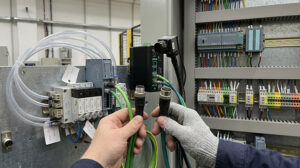
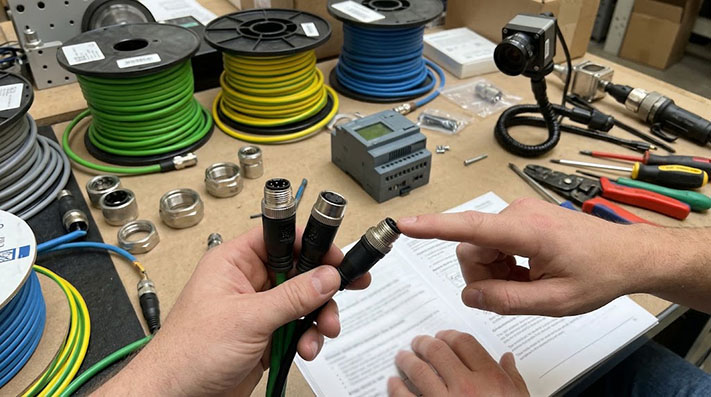
When your equipment manual specifies a "Gigabit Ethernet" connection or your bill of materials calls for a "Cat6a cable," it's easy to get lost in the language of consumer and office networking. But on the factory floor, these "Cat" ratings are only half the story. For industrial automation, the physical connector interface—specifically, the M12 connector's coding—is the first and most critical detail you must get right.
An industrial network cable is only as fast as its connectors allow. Choosing a cable based on a "Cat" number without matching the M12 connector coding to your equipment will result in a cable that simply won't connect, or one that severely bottlenecks your network performance.
The M12 Coding System: Your First Specification Check
Before you worry about Cat6a or Cat8 performance, you must identify the physical connector port on your PLC, robot, machine vision camera, or network switch. M12 connectors use a system of physical "keys"—notches and grooves—that prevent you from mating incompatible connectors. This ensures that a high-speed data connector cannot be accidentally plugged into a low-voltage power port.
For industrial Ethernet, two codes are dominant: D-Code and X-Code.
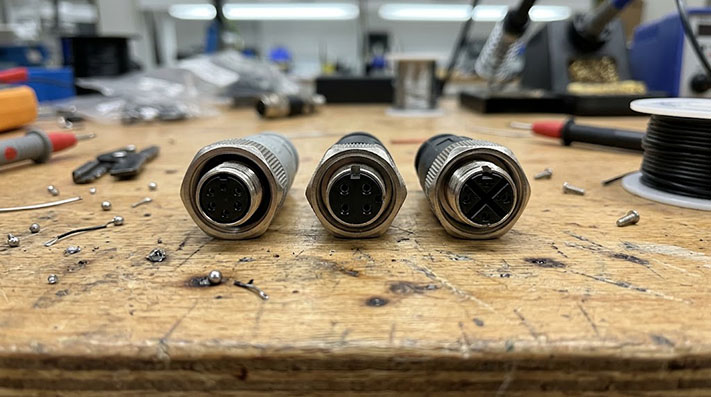
M12 D-Code: The Standard for 100 Mbps Ethernet
- Pin Count: 4-pin
- Typical Use: The long-standing standard for Industrial Ethernet, including many EtherNet/IP, Profinet, and EtherCAT applications running at speeds up to 100 Mbps (Fast Ethernet).
- Key Takeaway: If your device is a few years old or its primary function is standard control and communication, it likely uses an M12 D-Code port. A D-coded connector physically cannot provide the connections needed for Gigabit speeds, regardless of how advanced the cable is.
M12 X-Code: Designed for 1 Gbps and 10 Gbps Ethernet
- Pin Count: 8-pin
- Typical Use: High-speed applications requiring Gigabit Ethernet (1 Gbps) or 10 Gigabit Ethernet (10 Gbps). This includes modern machine vision systems, high-performance robotics, and backbone network connections between machines.
- Key Takeaway: The X-Code's internal pin design includes shielding that isolates the four data pairs, protecting signal integrity for higher frequencies. If your equipment manual explicitly states "Gigabit," "1000BASE-T," "10GBASE-T," or requires high-bandwidth data transfer, you need an M12 X-Code cable.
Industrial M12 X-Code vs. Commercial RJ45 Physical Layer Specifications
To guarantee long-term signal integrity and low contact degradation in industrial environments, internal connector engineering parameters must meet rigorous standards:
| Physical & Electrical Parameter | M12 X-Code Industrial Assembly | Commercial RJ45 Patch Cord (Office Grade) | Engineering Standard & Significance |
|---|---|---|---|
| Contact Resistance ($R_c$) | Less than or equal to 5.0 m-ohms | ~20.0 m-ohms or higher | IEC 60512-2-1 (Prevents high-frequency signal attenuation) |
| Gold Plating Thickness on Contacts | Hard Gold over Nickel ($ge 0.76mutext{m}$ Au) | Thin flash gold ($le 0.15mutext{m}$) | IEC 60512-5 (Withstands corrosion and fretting wear) |
| Mating Insertion Durability | Greater than or equal to 500 Cycles | ~250 Cycles (Plastic latch failure) | IEC 60512-9-1 (Ensures multiple maintenance reconnections) |
| Differential Impedance Matching | 100 ohms ± 5% (Precision Toleranced) | 100 ohms ± 15% (Looser tolerances) | TIA-568-C.2 (Eliminates internal return loss / reflections) |
What About M12 A-Code?
You will also encounter M12 A-Code connectors everywhere. However, A-Code is the standard for sensors and actuators. It is used for DC power and basic analog or digital signals, not for Ethernet communication. Plugging an A-Code sensor cable into an Ethernet-capable device (or vice versa) is physically prevented by the keying system.
Mapping "Cat" Ratings to Your M12 Cable Assembly
So where do terms like Cat6a and Cat7 fit in? These "category" ratings from the TIA/EIA-568 standard define the performance of the bulk cable itself, focusing on factors like bandwidth (MHz) and resistance to crosstalk between wire pairs.
Here's how to think about it for an M12 cable assembly:
- The Connector Code Defines the Maximum Speed: The M12 connector (D-Code or X-Code) sets the hard limit on performance. You cannot achieve 1 Gbps through a 4-pin D-Code connector.
- The Cable Category Enables the Speed: To get the full performance potential of the connector, the cable it's attached to must meet a corresponding standard.
A simple translation guide looks like this:
| If your equipment manual specifies... | And the port is... | You need a cable assembly with... |
|---|---|---|
| "Industrial Ethernet," "100 Mbps" | M12 4-Pin | M12 D-Code Connectors |
| "Gigabit Ethernet," "1 Gbps," "10 Gbps" | M12 8-Pin | M12 X-Code Connectors |
| Power, Actuator Signal, Sensor Data | M12 (various pins) | M12 A-Code Connectors |
Commercial "Cat" Performance Categories vs. Industrial M12 Architectural Mapping
Bridging consumer networking terminology with industrial physical layer standards requires direct comparison of frequency bandwidth and data transmission capacity:
| Cable Category Standard | Max Transmission Bandwidth | Maximum Supported Data Rate | Recommended M12 Connector Code | Typical Industrial Automation Application |
|---|---|---|---|---|
| Cat5e | 100 MHz | Up to 1 Gbps (Short runs) | M12 D-Code (4-Pin) | Standard Fast Ethernet (Profinet, EtherNet/IP at 100M) |
| Cat6 | 250 MHz | 1 Gbps (Up to 100 meters) | M12 D-Code or X-Code | Standard Gigabit local machine cell connections |
| Cat6a / Class EA | 500 MHz | 10 Gbps (Full 100m channel) | M12 X-Code (8-Pin) | High-speed machine vision, GigE cameras, robot links |
| Cat7 / Cat7a | 600 MHz – 1000 MHz | 10 Gbps+ (Shielded individual pairs) | M12 X-Code / Specialized M12 | Heavy industrial backbones with severe EMI |
An M12 X-Code cable assembly built for reliable 10 Gbps performance will use high-quality, shielded bulk cable that meets or exceeds Cat6a or Cat7 standards. But when you are sourcing the assembly, your primary search term and RFQ specification must be "M12 X-Code." Starting with "Cat7 cable" will lead you to office-grade patch cords with the wrong connectors.
Getting Your Industrial Ethernet Cable Order Right
Shielding Topology & Electromagnetic Interference (EMI) Suppression Matrix
Deploying high-speed Ethernet cables near variable frequency drives (VFDs), servo motors, and welding cells requires robust shielding structures:
| Factory EMI Environment | Shielding Construction Type | Optical Coverage Percentage | Transfer Impedance ($Z_t$) | Recommended Application & Risk Level |
|---|---|---|---|---|
| Clean Control Cabinet (Internal) | UTP (Unshielded Twisted Pair) | 0% (No shield) | High (> 50 m-ohms/m) | Low EMI risk; strictly inside sealed enclosures. |
| Standard Machine Frame / Conveyor | F/UTP (Overall Foil Shield) | 100% Foil Coverage | Moderate (~20 m-ohms/m) | Moderate EMI; general factory automation drops. |
| Heavy Industrial / Near VFD Drives | SF/UTP (Overall Foil + Braid) | Greater than or equal to 85% | Low (< 10 m-ohms/m) | High EMI; protects against high-frequency inverter noise. |
| Extreme Servo / Robotic Axis | S/FTP (Individual Pair Foil + Braid) | Greater than or equal to 90% | Ultra-Low (< 3 m-ohms/m) | Critical 10G links; prevents cross-pair crosstalk. |
Vague requirements in equipment manuals are a common source of ordering errors, delays, and incorrect parts. Phrases like "requires M12 Ethernet cable" are not specific enough to build or buy the correct assembly.
To ensure you get the right cable for your machine, focus on providing clear, specific details. The most effective way to eliminate ambiguity is to identify the connector code. If you are unsure, the best next step is to get help from a knowledgeable supplier.
At ConnecLink, we specialize in industrial connectors and cable assemblies for automation. Instead of guessing, send our team a quick RFQ with a photo of the equipment's connector port, a screenshot from the manual, or a technical drawing. We can help you identify the correct M12 coding and other critical specifications—like cable length, shielding, and male/female orientation—to build a quote for the exact assembly you need.
<!--[googlesitekit-end-of-content]-->