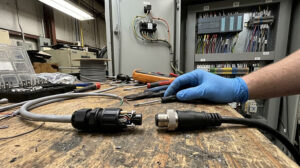
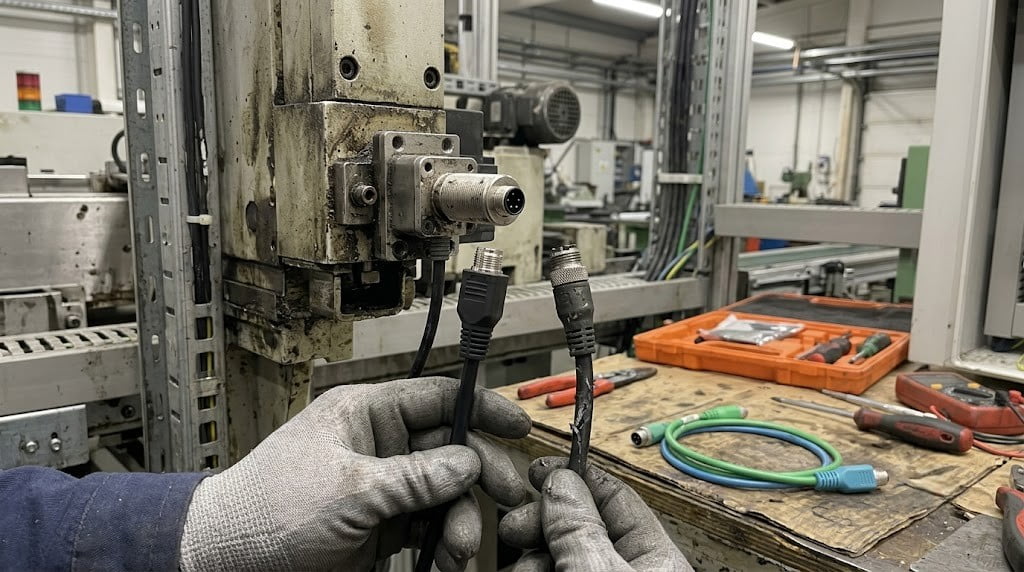
A machine is down, and the cause is a frayed, crushed, or corroded M12 sensor cable. Now, you need a replacement fast, but ordering the wrong one means more downtime and wasted budget. This guide provides a step-by-step process for identifying the exact M12 cable you need from the damaged part, ensuring you get the right replacement on the first try.
We'll walk through how to read the specifications from your old cable—even if the markings are faded—and explain the critical choices between pre-assembled cables and field-wireable connectors for maintenance, repair, and operations (MRO) scenarios.
Step 1: Identify the Critical Connector Specs
Before you can order a replacement, you need four key pieces of information from the existing connector.
1. Connector Coding
The "coding" or "keying" is a notch in the connector that prevents mismating. For standard sensors and actuators, you will most likely encounter A-code.
- A-Code: The most common type for sensors, DC power, and basic actuators. It has a single, simple keyway.
- B-Code: Typically used for PROFIBUS fieldbus networks[^1]. The keyway is in a different position than A-code.
- D-Code & X-Code: Used for Industrial Ethernet. D-code is 4-pin for 100Mbps, and X-code is 8-pin for Gigabit speeds[^2].
Action: Look at the metal coupling nut and the plastic insulator on your connector. The position of the small notch identifies the code. For over 90% of sensor applications, it will be M12 A-code.
Can't read the faded label or identify the code? Snap a clear, well-lit photo of your old cable's connector face and send it to our team. We can often help identify it from a good image.
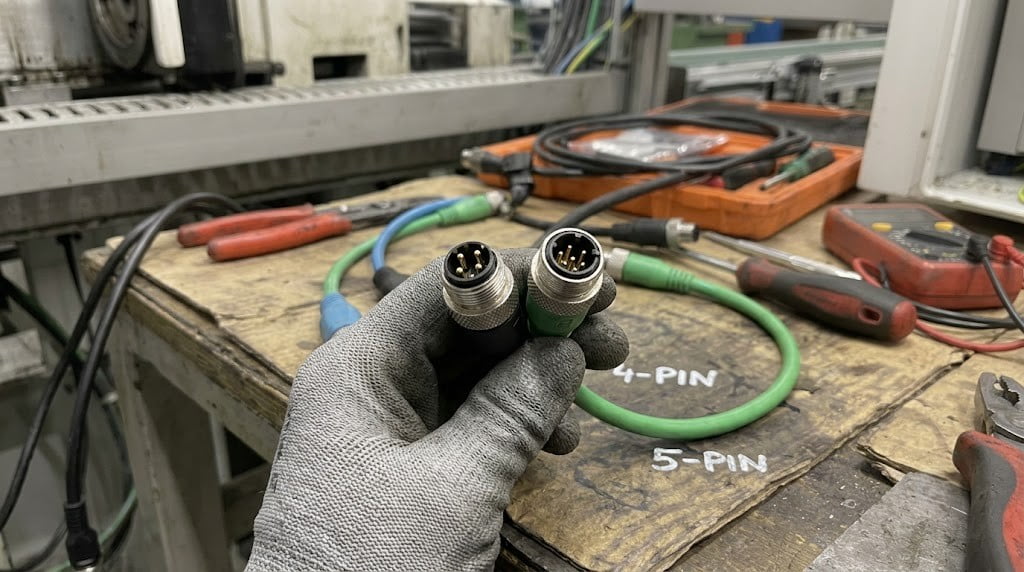
2. Pin Count
M12 sensor cables come in several pin configurations. You must match the pin count exactly.
- 3-Pin & 4-Pin: Most common for standard proximity sensors, photoelectric sensors, and simple actuators. A 4-pin can often be used for a 3-pin application (one pin will be unused), but it's best to match exactly.
- 5-Pin: Used for more complex sensors, safety devices, or certain Fieldbus systems like CANopen or DeviceNet[^3].
- 8-Pin & 12-Pin: Found on encoders, multi-channel analog sensors, or compact I/O connections.
Action: Count the metal pins (male) or sockets (female) on your connector.
3. Gender (Male or Female)
This is straightforward but critical.
- Male connectors have visible pins.
- Female connectors have sockets.
Most sensor cables are male, designed to plug into the female receptacle on the sensor itself or a junction box. Extension cables will typically be male on one end and female on the other.
Action: Identify if your connector has pins or sockets. Note the gender for both ends of the cable if it's an extension.
4. Orientation (Straight or Right-Angle)
The connector can exit the cable body straight or at a 90-degree angle.
- Straight: Ideal for direct runs with no space constraints.
- Right-Angle: Essential for tight spaces to prevent the cable from kinking or being damaged by impact.
Action: Check if your current cable uses a straight or right-angle connector. A right-angle connector can often reduce strain and prevent future damage.
Step 2: Define the Cable Specifications
With the connector identified, the next step is to specify the cable itself.
Cable Length
Measure the existing cable from the base of one connector to the base of the other. If ordering a replacement with a right-angle connector, remember that the "effective length" can be slightly different depending on the direction the cable exits. When in doubt, it's safer to order a slightly longer cable than one that is too short.
Jacket Material: PVC vs. PUR
The cable's outer jacket material determines its durability.
- PVC (Polyvinyl Chloride): A general-purpose, cost-effective material suitable for static machines and environments without oil exposure or constant flexing.
- PUR (Polyurethane): A high-performance material required for robotics, drag chains (continuous flexing)[^5], and environments with cutting oils or abrasion. It remains flexible at low temperatures.
Action: Check for any text printed on the old cable jacket. If you can't read it, evaluate the application. Is the cable moving, flexing, or exposed to chemicals? If yes, specify a PUR jacket. If not, PVC is likely sufficient.
Decision Point: Molded Cable Assembly vs. Field-Wireable Connector
For an MRO replacement, you have two main options:
-
Molded (Pre-Assembled) Cable: This is a complete cable assembly with the connectors factory-molded onto the cable.
- Pros: Fast installation, reliable IP67-rated seal[^4], electrically tested. The best choice for long-term reliability.
- Cons: You need to know the exact length and specifications beforehand.
-
Field-Wireable Connector: This is just the connector housing with screw or clamp terminals inside. You terminate your own bulk cable to it on-site.
- Pros: Great for emergencies if you have bulk cable on hand. Allows you to create a custom length instantly.
- Cons: Assembly is time-consuming and requires skill. The seal is dependent on the technician's work and may be less reliable than a molded assembly.
Recommendation: For planned maintenance and critical applications, a molded cable assembly is almost always the superior choice. Keep field-wireable connectors in your maintenance toolkit for temporary, emergency repairs to get a machine running while you wait for the proper molded replacement to arrive.
Final Checklist for Your RFQ
To get a fast and accurate quote for your replacement M12 cable, provide this information:
- Connector 1: M12, A-Code, 4-Pin, Male, Straight
- Connector 2: Unterminated (flying leads), RJ45, or another M12
- Cable Length: e.g., 3 Meters
- Jacket Material: PVC or PUR
- Shielding: Shielded (for noisy environments) or unshielded
- Quantity: e.g., 5 pieces for repair stock
Ready to Order Your Replacement?
Having the right M12 sensor cable on hand can turn a day of downtime into a 10-minute fix. Use the checklist above to gather your specs and send them to us for a quick, accurate quotation.
If you're stuck identifying an old part, send us a photo of the connector and any part numbers you can find. We'll help you find the right match.
[^1]: "IEC 61784-1:2019 — Industrial communication networks — Profiles — Part 1: Fieldbus profiles for real-time distributed communication", https://webstore.iec.ch/publication/59783. Evidence role: standard; source type: standards_body. Supports: IEC 61784-1 defines communication profile families including Type 3 (PROFIBUS DP/PA), which uses M12 B-coded connectors as specified in IEC 61158. Accessed 2026-07-29. [^2]: "IEC 61076-2-101:2021 — Connectors for electronic equipment — Product requirements — Part 2-101: Circular connectors — Detail specification for M12 connectors with screw-locking", https://webstore.iec.ch/publication/6540. Evidence role: standard; source type: standards_body. Supports: IEC 61076-2-101 defines the mechanical and electrical specifications for M12 connector codings including D-code (4-position for Fast Ethernet) and X-code (8-position for Gigabit Ethernet). Accessed 2026-07-29. [^3]: "IEC 61158 series — Industrial communication networks — Fieldbus specifications", https://webstore.iec.ch/series/61158. Evidence role: definition; source type: standards_body. Supports: The IEC 61158 series standardizes multiple industrial network protocols including Type 4 (CANopen) and Type 2 (CIP/DeviceNet), both commonly using 5-pin M12 A-coded connectors. Accessed 2026-07-29. [^4]: "IEC 60529:1989+AMD1:1999+AMD2:2013 CSV — Degrees of protection provided by enclosures (IP Code)", https://webstore.iec.ch/publication/4615. Evidence role: standard; source type: standards_body. Supports: IEC 60529 defines IP67 as dust-tight protection (6) and protection against immersion in water up to 1 meter depth for 30 minutes (7). Accessed 2026-07-29. [^5]: "ISO 14562:1999 — Welded and seamless tubes made from unalloyed steel and stainless steel — Determination of torsional flexibility on spiral testing machines", https://www.iso.org/standard/25828.html. Evidence role: testing; source type: standards_body. Supports: ISO 14562 specifies torsional flexibility testing methods for cables subject to continuous flexing in drag chain applications; PUR jacket materials are engineered to meet these endurance requirements. Accessed 2026-07-29. Scope note: ISO 14562 addresses tube/cable torsional testing methodology; specific drag-chain cable performance criteria are further defined in VDE 0472 and DIN EN 50396.